Master Modern Video Call Etiquette
Step confidently into clearer, kinder digital conversations as we explore Video Conferencing Manners: From Muting to Virtual Backgrounds. Discover how small choices—when to mute, how to frame your camera, which background to select—transform attention, trust, and productivity. Expect practical checklists, relatable stories, and gentle nudges that help your presence feel calm, respectful, and unmistakably professional, even when the Wi‑Fi wobbles or a dog barks at the mail carrier.

Sound Discipline That Speaks Volumes
Audio is your handshake online, and it forms first impressions faster than video. Prioritizing thoughtful muting, microphone setup, and considerate timing turns chaos into clarity. Learn to prevent accidental echoes, tame clattering keyboards, and manage sudden disruptions without stress. These habits protect focus, highlight voices equitably, and show that you value everyone’s time, especially during high‑stakes updates, client briefings, or rapid brainstorms where seconds of silence feel longer than they actually are.
Camera Presence That Feels Human
What your camera shows silently communicates attention, reliability, and warmth. Thoughtful framing, gentle lighting, and steady eye contact help remote moments feel personal without straining. Avoid looming angles, busy backdrops, and harsh uplighting. Practice glancing at the lens while tracking faces on screen. These small techniques turn scattered grids into a genuine conversation, supporting nuanced discussions, delicate feedback, and inspiring announcements that deserve more than pixelated expressions or abrupt cutoffs.
Eye Contact Without Staring
Place the video window near your webcam to reduce darting eyes, then soften your gaze rather than locking it unblinking. Nods, micro‑pauses, and brief notes show you are present and synthesizing. If using multiple monitors, explain your setup so glances make sense. When presenting, pin the audience tile closest to your lens. Authentic attentiveness reduces misinterpretation, fosters trust, and invites quieter participants to share thoughts without fearing abrupt interruptions.
Lighting That Flatters and Clarifies
Front‑facing, diffused light is your friend; a simple desk lamp bounced off a wall can outperform elaborate gear. Avoid strong backlight from windows that silhouette your face. Warm tones are forgiving; mixed color temperatures confuse webcams. Do a five‑minute lighting check before important calls. Consistent visibility helps colleagues read cues accurately, supporting empathy and faster decisions. Good lighting is not vanity—it is accessibility for expressions that carry nuance beyond words.
Virtual Backgrounds and Real‑World Backdrops
Your backdrop shapes mood and focus. Whether you choose tasteful blur, a branded gradient, or your authentic workspace, aim for clarity without distraction. Overly animated scenes, mismatched colors, or clipping halos draw attention away from ideas. Curate context: a plant, a bookshelf, or soft artwork can humanize your square. Test how your background behaves during gestures and screen sharing, ensuring it supports credibility, inclusivity, and the story you intend to tell.
Blur or Show: Making the Right Call
Blur when privacy is paramount or clutter competes with your message. Show your real space when it strengthens rapport, like teaching from a studio or demonstrating equipment. Consider motion: ceiling fans and bustling hallways distract viewers. Trial screen captures across lighting changes. In cross‑cultural meetings, opt for neutral simplicity. Remember, your environment is a co‑presenter; let it whisper context rather than shout gimmicks that overshadow thoughtful discussion.
Branding with Subtle Confidence
A quiet logo in a corner, consistent colors, and restrained patterns can reinforce identity without overwhelming faces. Avoid placing text where avatars commonly sit. Test legibility on mobile and low‑bandwidth connections. Align visuals with meeting goals: a recruiting chat may differ from a quarterly review. Keep templates in a shared folder with guidance notes. Elegant consistency signals maturity, reducing friction and keeping attention on people, insights, and next steps.
Hosting with Grace, Structure, and Time Sense
Great hosts make remote gatherings feel surprisingly effortless. A brief agenda, respectful pacing, and visible roles transform meandering updates into purposeful collaboration. Share expectations up front, rotate facilitation to distribute voice, and timebox where appropriate. Warm welcomes, explicit turn‑taking, and clear parking lots keep momentum. When technology misbehaves, acknowledge, pivot, and document. Thoughtful hosting reduces stress, prevents dominance spirals, and honors the humans behind every muted square and chat bubble.
Chat, Reactions, and Shared Resources
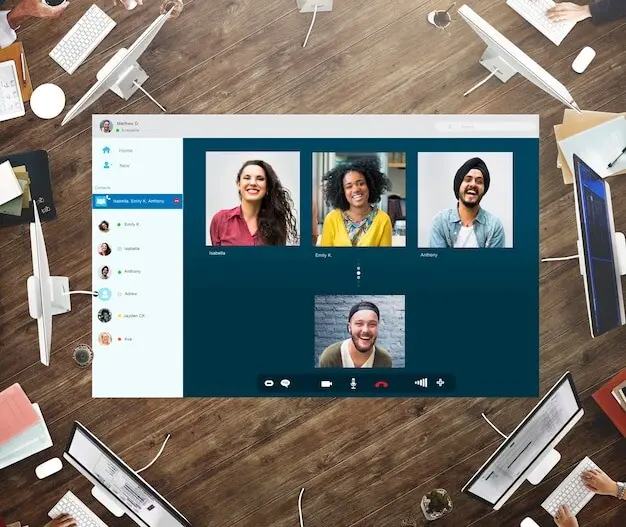
Encourage short, clear entries and thread where possible. Summarize any critical chat insights verbally so participants not following text channels stay included. Avoid sarcasm that loses tone in fast scrolls. Designate a co‑host to capture action items from chat. When debates heat up, move discussion to voice with structured turns. Chat’s power is agility; treat it like a shared whiteboard, not a whisper corridor where context disappears.
Thumbs‑up for agreement, raised hands for turns, and gentle applause for milestones can energize without breaking flow. Overuse becomes visual noise. Offer quick guidance: use reactions for sentiment, chat for details, voice for decisions. If accessibility tools hide reactions, narrate key signals. Celebrate contributions with intention instead of fireworks. Purposeful cues reduce interruptions, prevent people from talking over each other, and make progress feel visible, humane, and shared.
Post links with clear labels, not bare URLs. Provide short summaries, timestamps, or page numbers. Use captioned recordings and readable slides with high contrast and logical headings. Store resources in predictable folders and mirror essentials in meeting recaps. When screen sharing, zoom generously and narrate pointer movements. Accessibility is not a chore list; it is a courtesy that invites full participation, especially for low‑bandwidth connections and varied learning preferences.
Security, Privacy, and Respectful Transparency
Announce upfront why recording helps—note‑taking, training, or accountability—and invite opt‑outs when feasible. Add a slide or chat message documenting access rules. Pause recording during sensitive detours. Share edited summaries when raw footage would overwhelm. Consent is ongoing; check in if contexts change. Transparent intentions encourage participation, reduce legal confusion, and prevent the uneasy silence that arises when a tiny red dot blinks without explanation.
Rotate meeting links when appropriate, disable join‑before‑host for sensitive sessions, and limit screen sharing to hosts or presenters. Encourage professional display names to reduce impersonation risks. Before sharing, close unrelated tabs and hide notifications. Consider a safety checklist for recurring meetings. Simple guardrails minimize mishaps, preserving focus and confidence even when groups grow large or external guests join with varied tools, devices, and security expectations.
Slip‑ups happen: an accidental share, a stray DM pasted into public chat, a calendar invite sent too widely. Respond briefly, own it, correct the artifact, and restate boundaries. Avoid blame. Document a small improvement, such as a pre‑share checklist or host training. Normalizing learning prevents fear from shrinking participation, keeping collaboration resilient and humane even under pressure or tight timelines.
Speaking for Global Ears
Trim jargon, expand acronyms, and pronounce names carefully. Short sentences help interpreters and captions. Pause after numbers, dates, or decisions so notes land accurately. Reiterate expectations in writing for clarity across languages. Encourage questions without embarrassment. The goal is not perfection; it is understanding. Respect for different rhythms builds credibility and attracts contributions that would otherwise remain quiet, waiting for someone else to simplify the path.
Designing for Different Bandwidths and Bodies
Offer dial‑in numbers, low‑res video options, and downloadable materials. Use transcripts, alt text, and high‑contrast slides. When demos require motion, narrate deliberately. Provide breaks that honor health. Invite attendees to disable self‑view if that reduces fatigue. Flexibility signals care and extends reach, allowing brilliance to show through even when connections flicker or energy dips midweek between heavy sprints and demanding commitments beyond the screen.

All Rights Reserved.